Disclosure: We make OnePress Rec. This is a developer-written comparison based on our app and the official sources linked below, not an independent ranking or a hands-on accuracy benchmark of every competitor. Features, pricing and availability can change.
Quick answer: start with your recording routine.
There is no single best recorder for every iPhone owner. Our recommendation is to choose by the job you need done, rather than by the longest feature list. These are fit-based suggestions, not measured performance rankings.
- Occasional voice notes: start with Apple Voice Memos before buying another app.
- A focused recording library with searchable words and optional App Lock: try OnePress Rec.
- Apple Watch recording and cross-device syncing: consider Just Press Record.
- Shared meeting notes and team workflows: evaluate Otter.
Four different approaches
| App | Why consider it? | Check first |
|---|---|---|
| Apple Voice Memos | A familiar starting point for everyday recordings. | Transcription availability on your device and in your language. |
| OnePress Rec | No OnePress account, searchable saved transcripts and optional lifetime Pro. | 10 saved recordings free; two manual transcriptions per rolling seven days. |
| Just Press Record | Watch recording, editable transcripts and iCloud syncing. | Its current App Store price and device requirements. |
| Otter | Searchable, shareable meeting notes and collaboration. | Plan minutes, import limits and the online-service workflow. |
Apple Voice Memos: try the built-in option first
For a shopping reminder or occasional idea, another app may be unnecessary. Apple's documentation describes transcription and library search across recording titles and transcripts on supported devices and languages. Transcript search is not exclusive to REC. Do not assume a paid recorder is needed just to obtain text. Apple's transcription guide.
OnePress Rec: capture a thought and find it later
REC's emphasis is a simple recording screen and a library you can search by names, saved transcript words and optional places. Suppose you remember saying “blue cabinet” but forgot the recording's name: once that recording has a completed transcript, those words can help locate it. Search does not listen through untranscribed audio.
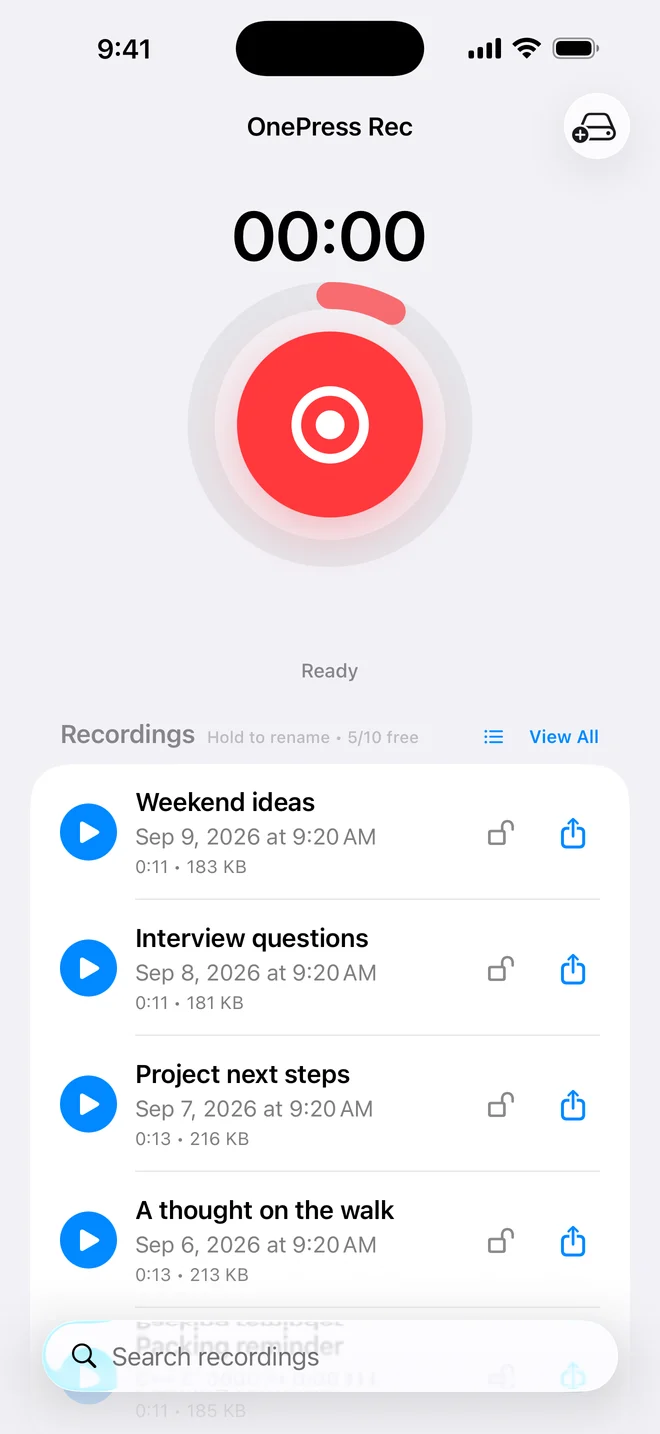
Pro is a one-time in-app purchase. It adds unlimited saved recordings within device storage, unlimited and automatic transcription, App Lock, secure recording unlock, optional places and Files backup. The current App Store release supports iOS/iPadOS 16 or later. Check the purchase sheet for local pricing; we do not embed short-lived sale prices in this guide.
REC is not a team meeting bot, multitrack editor or phone-call recorder. Files backup is a second copy, not a two-way synchronized library. Audio is stored locally, but some speech recognition uses Apple's online service. Those distinctions matter more than a vague “private” badge.
Just Press Record: consider the Apple Watch workflow
Open Planet advertises standalone Apple Watch recording, iCloud syncing, editable/searchable transcription and audio trimming. Those are meaningful reasons to choose it when recording from your wrist or moving between Apple devices is central to your routine. REC's folder backup should not be presented as equivalent to that sync workflow. Official feature overview.
Otter: consider the meeting workflow
Otter positions its service around searchable, shareable notes and collaboration. Its Basic plan currently lists 300 monthly transcription minutes, 30 minutes per conversation and three lifetime file imports. Paid tiers change the allowances. Evaluate its workflow and limits if team meeting notes are the goal, rather than comparing it only on the appearance of its record button. Otter plans and product overview.
A useful five-minute comparison you can do yourself
- Record the same short passage in the apps you are considering, in the room where you will use them.
- Include a name, a number and a distinctive phrase. Check those details in the transcript against the audio.
- Close the recording and try to find it again by the phrase, not just its title.
- Export a copy and confirm you can play it outside the app.
- Check the free limit, upgrade model, language support and what happens without internet before committing.
For lectures and interviews, ask permission before recording and follow venue rules. No transcription tool should be treated as an error-free record.
Which should you choose?
Stay with Voice Memos if it already meets your needs. Try REC when its search-first library and optional App Lock solve a problem you actually have. Favor a Watch-oriented or team-oriented alternative when that is your main workflow. Read our REC versus Voice Memos comparison for a closer look at the everyday choice.