Hear it in the room
Use the iPhone microphone to analyse music or a single note. Live listening needs microphone permission.
 PulseKey Tuner
FOR THE RIFF. THE SAMPLE. THE NEXT IDEA.
Find the key. Get in tune.
A musical second opinion, right in your pocket. Find a song's likely key, check a note and tune your instrument on iPhone.
PulseKey Tuner 1.1 for iPhone. iOS 16+.
See the store for your local price.
LESS GUESSING. MORE PLAYING.
A song has a harmonic centre. A string has a pitch. PulseKey gives each a mode of its own.
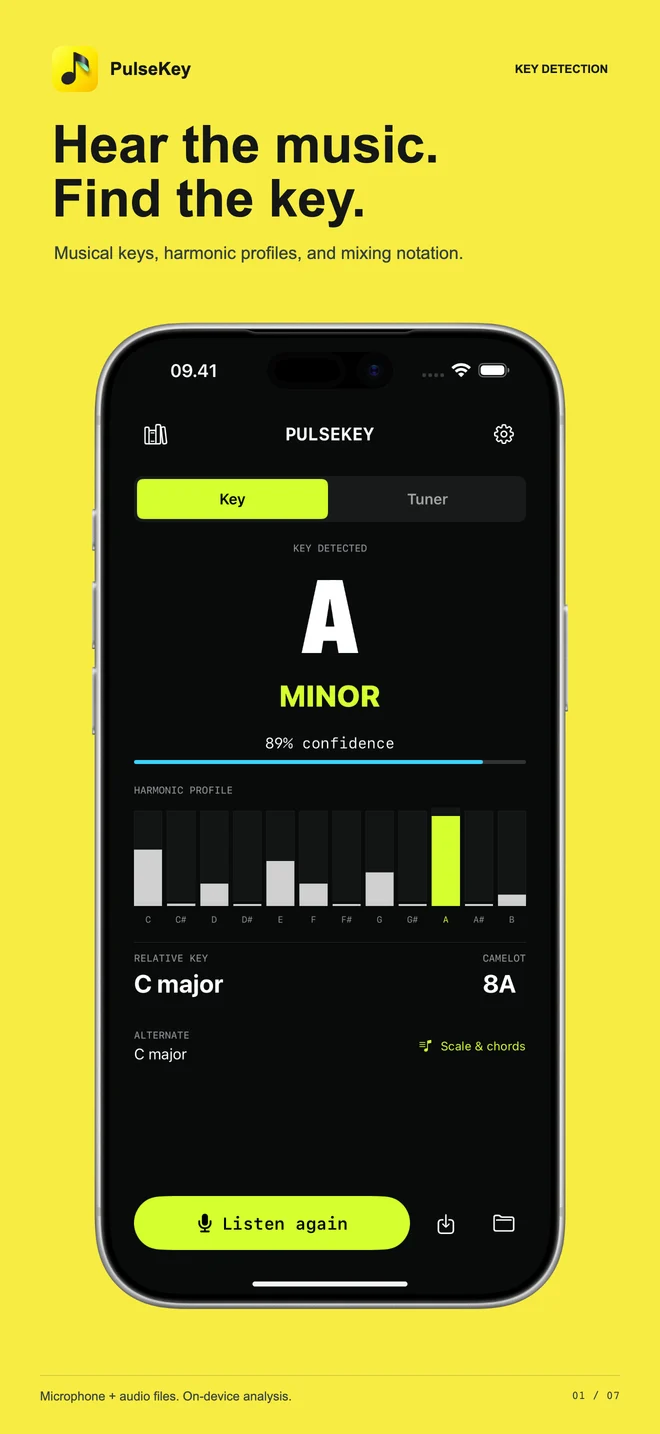
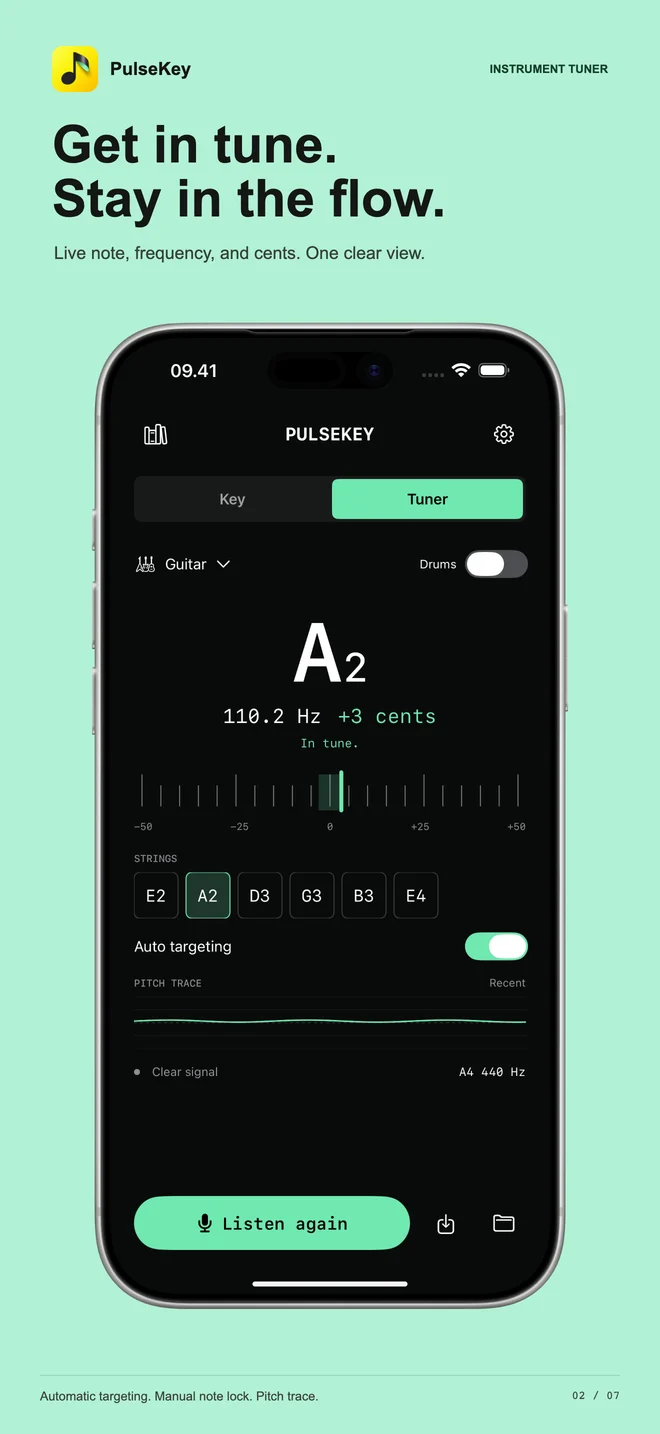
Version 1.1 app screens with example sessions. Key and pitch readings are estimates, not guarantees. Your ears still have the final say.
Use the iPhone microphone to analyse music or a single note. Live listening needs microphone permission.
Load an audio file for analysis instead of playing it through a speaker. Useful for your own loops and samples.
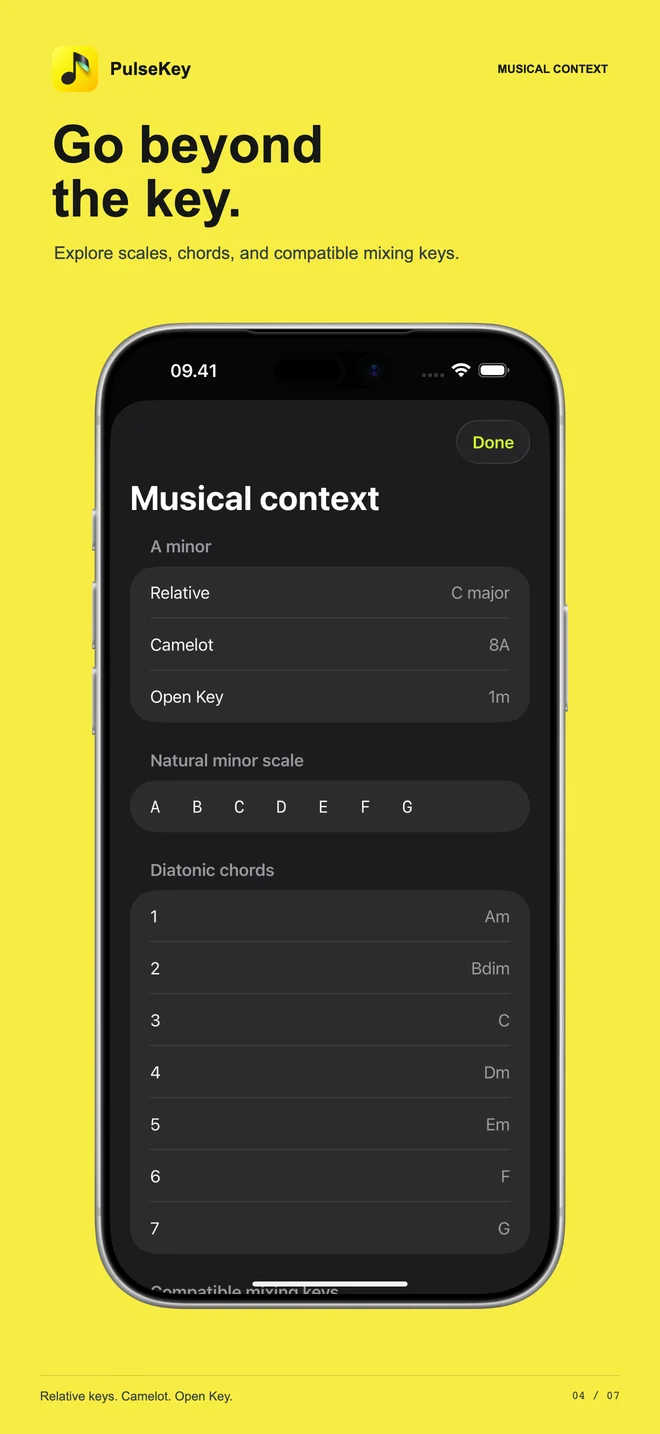
Camelot and Open Key notation give DJs familiar ways to read the result. Always audition the transition: a matching key isn't the whole story.
GO A LITTLE DEEPER
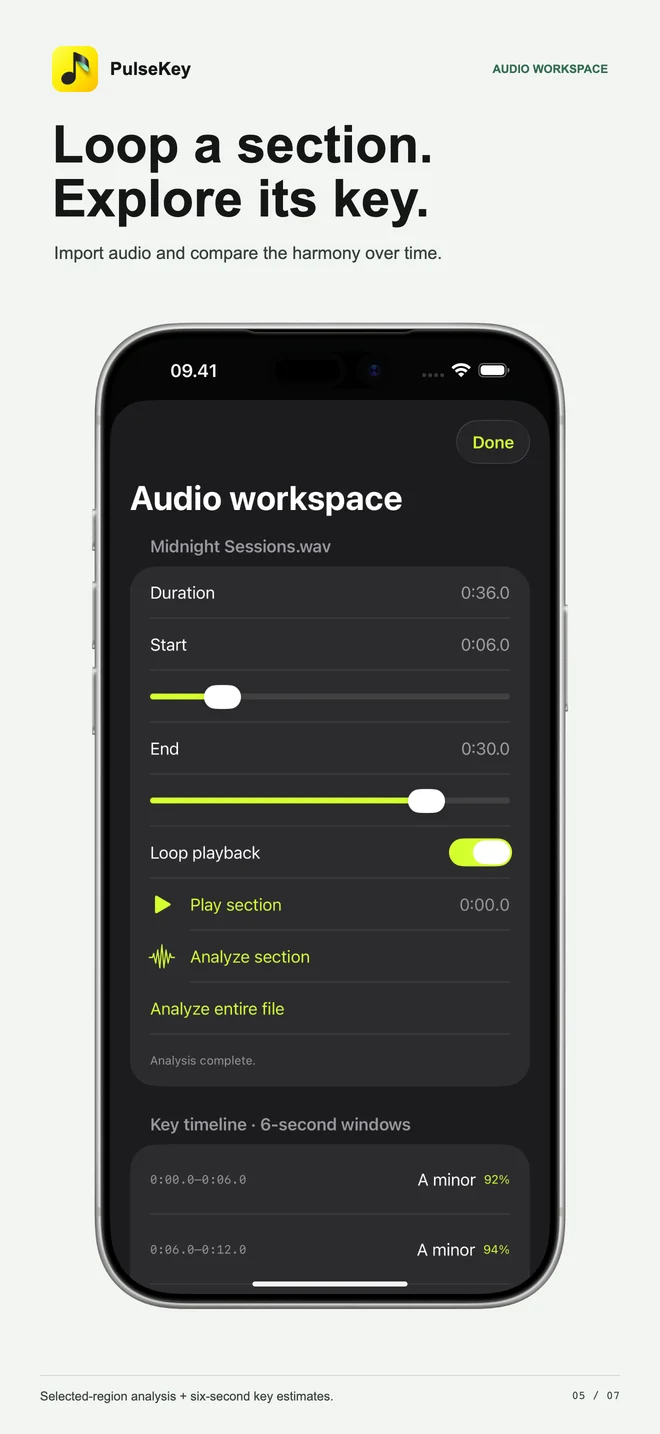
Choose a section of audio, explore its musical context and save the result for your next session.
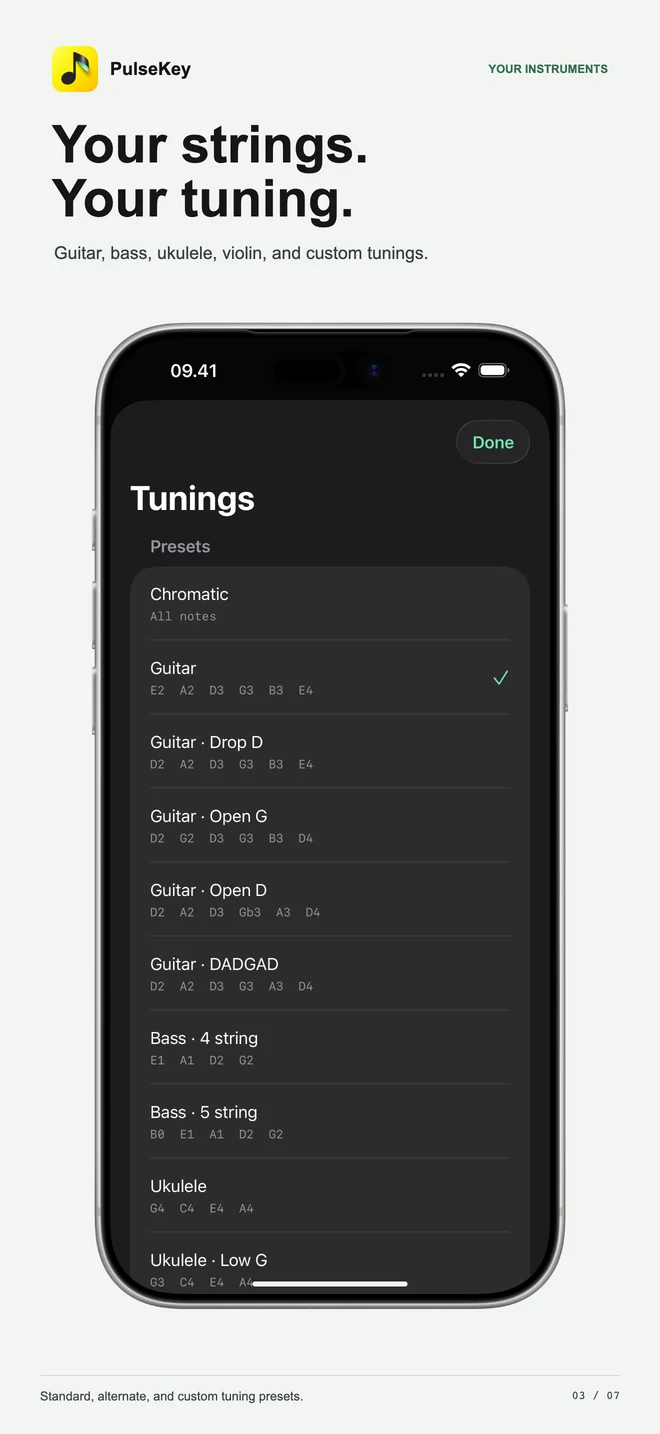
Create custom tunings, lock a target note, play a reference tone and adjust A4 from 415 to 466 Hz.
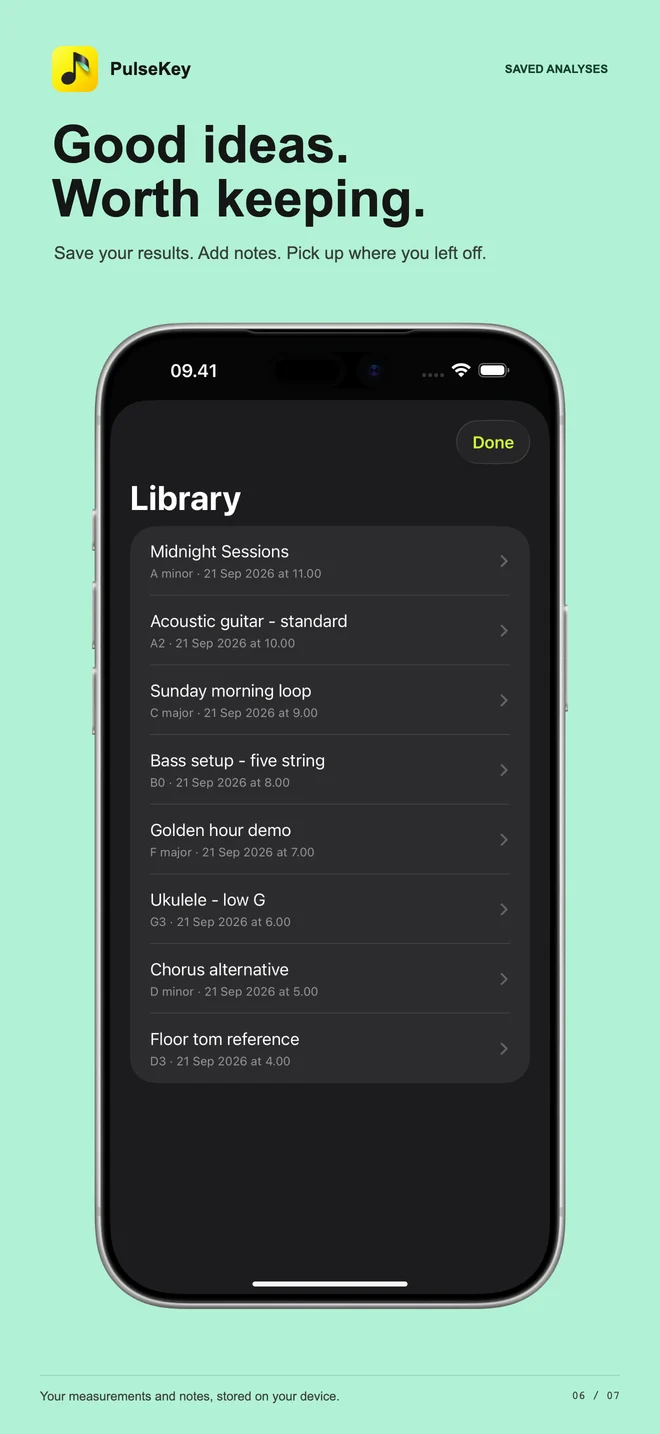
Keep measurements with titles and notes in a local library. Saved analyses retain the results, not the source audio.
Hold a reference and compare lug measurements. These tools are experimental: readings may reflect overtones rather than a drum's fundamental.
THE LITTLE NUMBERS THAT MATTER
The note tells you where you are. Cents tell you how far off you are. Hz is the frequency underneath it all.
PITCH EXPLORER
On the reference pitch.
An educational calculator, not a live tuner. No microphone access. Equal-temperament reference: UNSW Music Acoustics.
THE PRACTICE NOTES
Practical answers for the moments before you hit record, play along or start a mix.
FIND YOUR WAY IN
Why a note isn't a key, what to listen for, and how to make sense of an uncertain result.
Read the guideCHOOSE YOUR TOOL
PulseKey, GuitarTuna, Fender Tune and TonalEnergy: different strengths for different sessions.
Compare the appsGOOD TOOLS. DIFFERENT JOBS.
Start with what you want to do. Here's where each app deserves a look.
| App | Consider it for | What stands out |
|---|---|---|
| PulseKey Tuner | Checking a song or sample's likely key, then tuning individual notes. | Key analysis and tuning, custom tunings, audio regions, a local library and mixing-key notation. App Store details |
| GuitarTuna | A guided string-instrument tuning workflow. | Automatic and manual string selection, multiple instruments and alternate tunings. GuitarTuna tuning options |
| Fender Tune | Guitar-focused tuning and learning resources. | Chromatic tuning alongside Fender's guitar-practice tools. Fender Tune features |
| TonalEnergy | A broader practice routine and detailed intonation work. | Tuner, tone generator, metronome, recording and analysis tools. TonalEnergy features |
Features and purchase options can change. Competitor names belong to their respective owners; no affiliation or endorsement is implied.
Read the full comparisonYOUR MUSIC. YOUR DEVICE.
PulseKey analyses audio on your iPhone. No account, advertising, tracking or third-party analytics in the app.
Microphone audio is processed in memory, not saved as a recording or uploaded. Imported audio is temporarily copied to your device for analysis and playback.
Read the app privacy policyBEFORE THE FIRST NOTE
No. It estimates musical keys and detects notes. It isn't a Shazam-style song-recognition service.
Yes. Version 1.1 includes guitar, bass, ukulele, violin and mandolin presets, plus chromatic mode. Play one clear note at a time; mute the other strings and let the initial attack settle.
Different sections can emphasise different notes, and some music changes key or has an ambiguous tonal centre. Noise, percussion and short excerpts can make the result less useful. Try a clear melodic section and check against your instrument.
Yes. Import an audio file, select and loop a region, and inspect key estimates across six-second windows. Use files you can access on your device; PulseKey does not download tracks from streaming links.
This page describes PulseKey Tuner 1.1, which requires iOS 16 or later. It is designed for iPhone, not as a native iPad app. Microphone permission is needed for live analysis.
The current listing is a paid download. Check the App Store for the price and purchase details in your region.
Find its pitch. Explore its key. Get back to playing.

Made for iPhone. iOS 16 or later.