01
Start the clock.
One clear timer for your next work block.
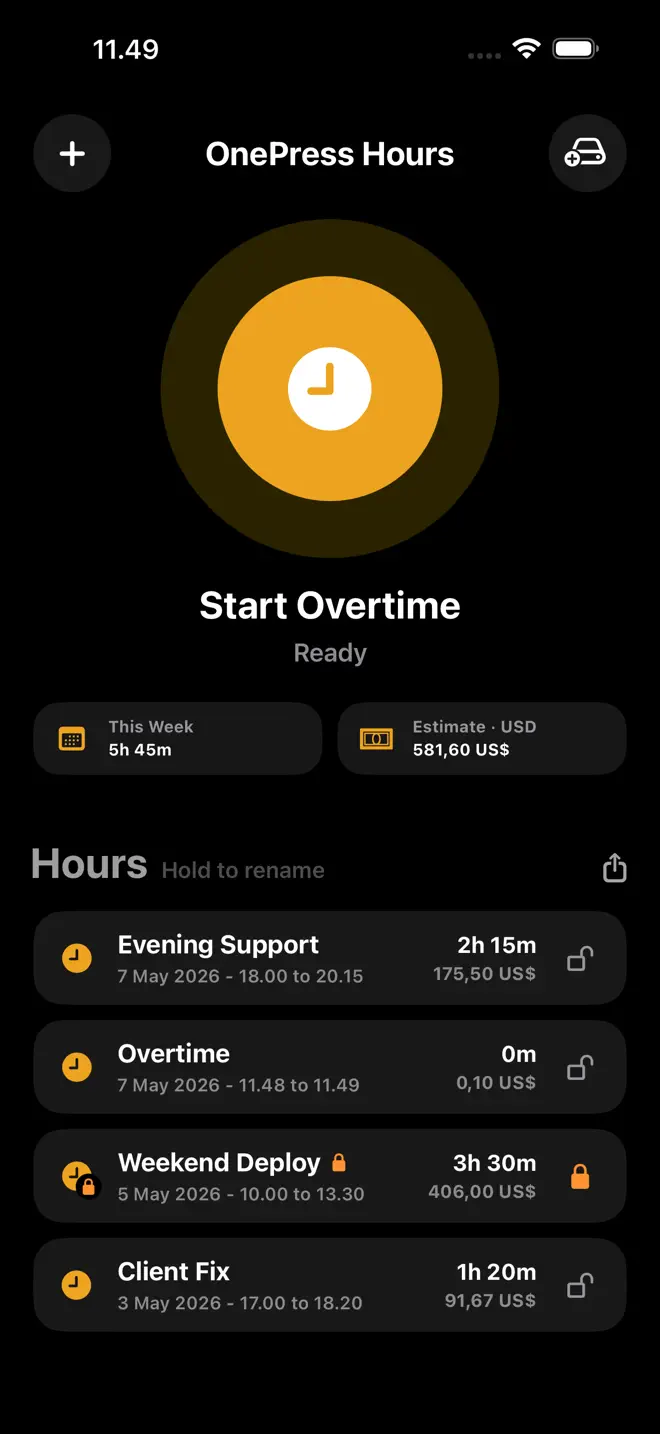

Start the clock when work begins. Stop when you are done. Keep the hours, notes and estimated value together.

Free to try. Lifetime Pro. No subscription. Free or Pro?
Overtime, freelance work or a call-out. Keep a clear record of the time you put in.
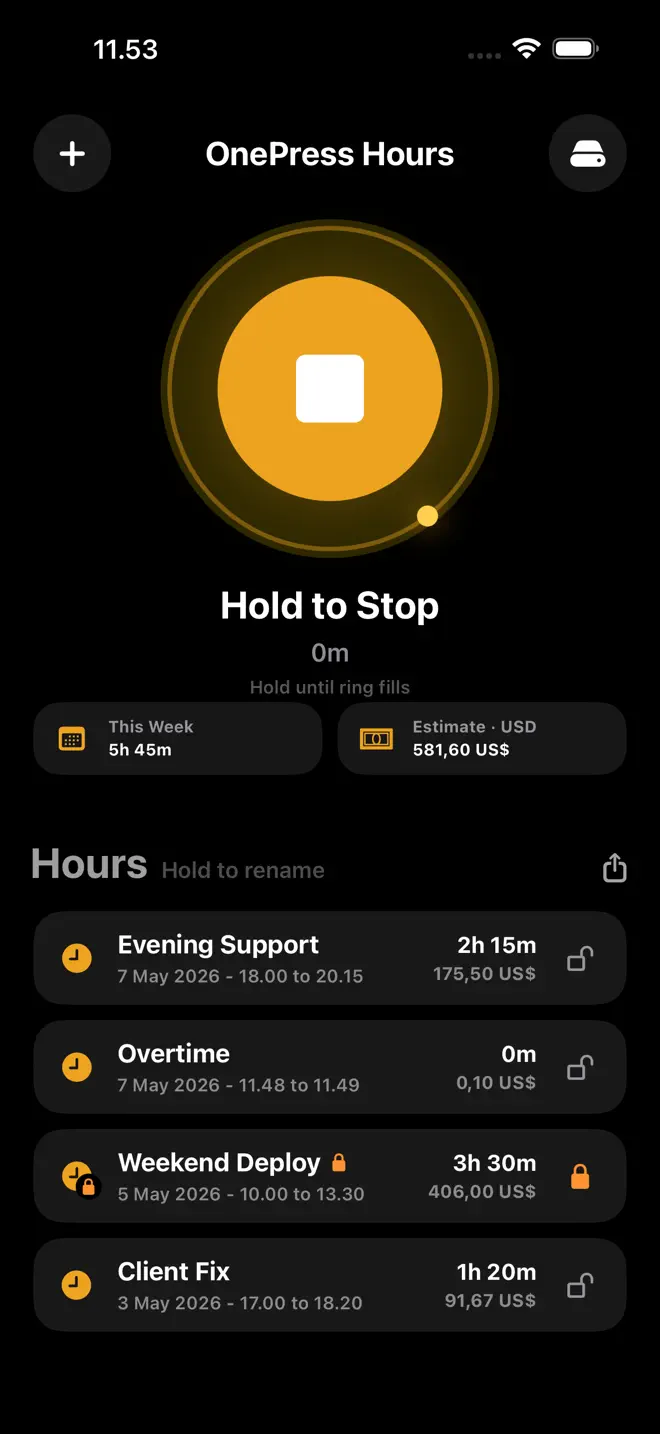
A Live Activity keeps the running timer visible.
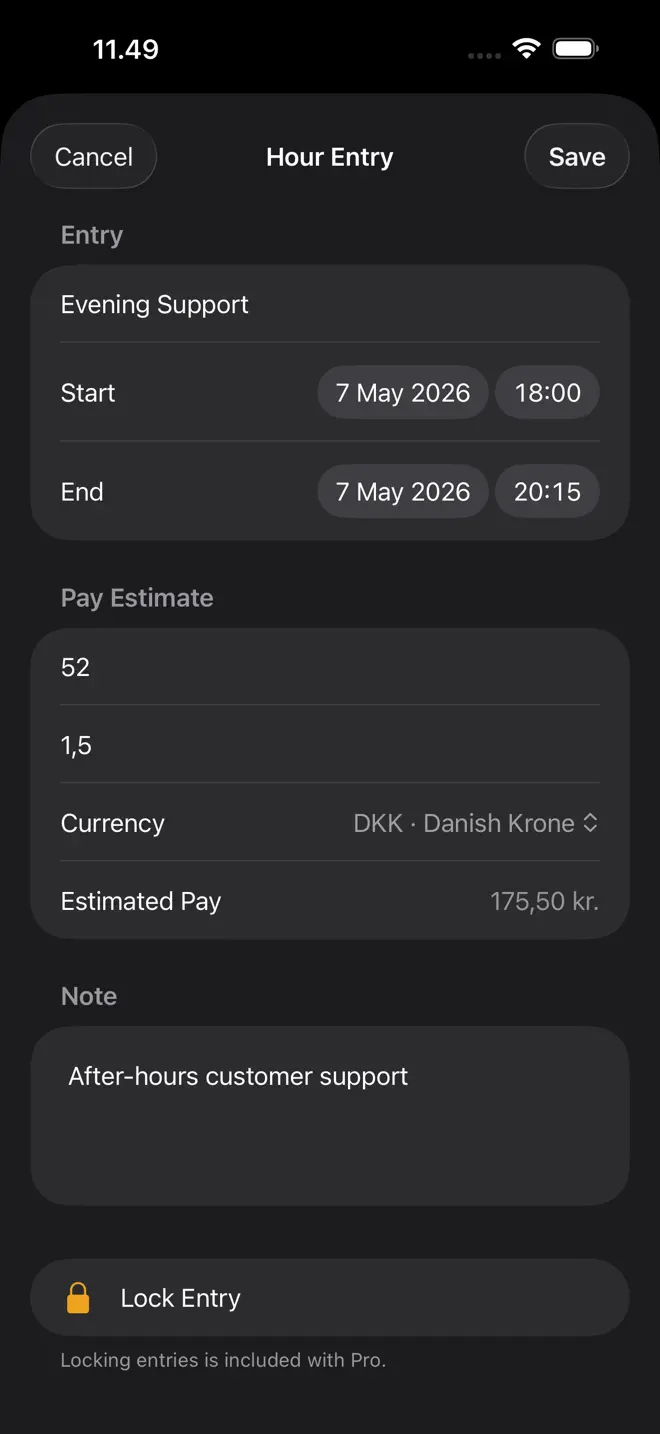
Save dates, duration, notes and estimated value.
ONE SIMPLE JOB. DONE WELL.
One clear timer for your next work block.
Stop the clock when the work is done.
Review times, add a note and record an estimated value.
Requires iOS/iPadOS 26.4 or later. Hours is a personal work log, not a payroll service. Values are estimates for your own records.
START SIMPLE. KEEP MORE.
One purchase. No subscription. See your local price in the app.
| What's included | Free | Lifetime Pro |
|---|---|---|
| Saved entries | Limited free library | Unlimited |
| Work timer and Live Activity | Included | Included |
| Notes and estimated value | Included | Included |
| Share and export | Included | Included |
| Lock protection | Not included | Included |
| Automatic backup | Not included | Included |
Pro is for OnePress Hours, not the whole OnePress family. Unlimited storage is subject to available device space.
PERSONAL BY DESIGN
Your hours stay on your device unless you choose to share, export or back them up. No account is required.
Hours is a personal work log, not a payroll service. Values are estimates for your own records.
Read the privacy policy →Live on the App Store
Track hours. Clock out.
A work timer for overtime, freelance hours, call-outs, and the work blocks you want to remember. Start when work begins, stop when you are done, and keep a clear entry.
Download on the App StoreA Live Activity keeps the running timer visible. Save start time, end time, and duration when you finish.
Add notes, rename entries, and keep an estimated value with your hours. Share or export a record when you need it.
No account is required. Entries stay on your device unless you choose to share, export, or back them up.
Optional lifetime Pro unlocks unlimited entries, lock protection, and automatic backup to a Files folder you choose. Purchase inside Hours; your local price is shown before you buy.
Hours is a personal work log, not a payroll service. Estimated values are there to help you keep your own records.
Get help with HoursNo account needed. Start with free.